terça-feira, 12 de janeiro de 2016

Left 4 Dead 3 to be released?

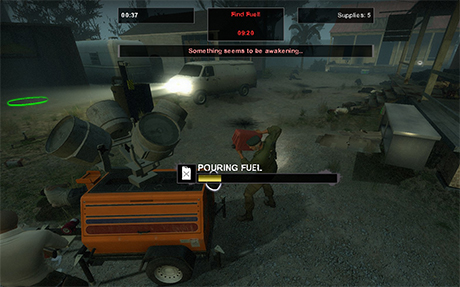
Well, it's seems like Mr.Gabe has decided to finally give us some more blood and gore.

Not too much has been told so far, besides the fact that it'll probably come out by 2017, and with the standard survivor setup (3 men, 1 woman), also 5 new campaigns and the classic no mercy.

Really looking foward to see how it fits on source 2 engine.

terça-feira, 4 de junho de 2013

What’s that Beta thing again?


We have had plenty of people asking about the L4D2 Beta showing up in their steam catalog. So in case you missed it or were confused, here is some more info.

Currently, changes to L4D2 will first appear in the Beta before they appear in the main game. The Beta will change often. This mean this build is very active so you might want to avoid it if you have bandwidth caps. Today we released another update for it. You can read the release notes for the update here.


Right now the Beta is the only place you can play L4D2 on Linux natively. If you run Linux, load it up and give it a try. If you have problems, let us know. You can post here and share your experience.

While the biggest changes are for Linux, those changes actually have the possibility to impact Mac and Windows players as well, which is why it is helpful for even non-linux players to test the Beta.

The Beta also contains an update to the Authoring Tools to allow you to work in the new EMS. These tools are only available for Windows users and only currently available in the Beta. You can check the developer wiki here for more information.

While the tools are only available on Windows, everyone in the Beta can play the new EMS content.

We do not have servers running for the Beta yet as we concentrate on client issues and fixes but the server code has been released and is working - so let us know if you have any issues with Windows or Linux servers. We will be rolling out our own dedicated servers in the near future.

The Linux Beta Build is Live!


Thanks to the efficiencies we were able to achieve with Linux, we skipped Valve time and are delivering the L4D2 Beta Linux build today as planned. The Beta build not only allows Linux owners to play the game natively, it is also the testing ground for our new Extended Mutation System.

If you currently own Left 4 Dead 2, You should see “Left 4 Dead 2 Beta” in your library. If it doesn’t show up, restart Steam. This is a complete build of Left 4 Dead 2, so the build is as large as the current game.

You also receive access to the Left 4 Dead 2 Beta Authoring tools and Left 4 Dead 2 Beta Dedicated Server. This will allow you to start working with EMS.

The Beta version also contains updated Windows and Mac clients, so even if you are not running under Linux you can help by testing the Beta.

Current changes in this build include:
- Server operators can now specify whether or not custom content is allowed when playing on their servers. This can be set on a per game mode basis - see cfg/addonconfig.cfg for details.

- Fixed main menu not refreshing after workshop add-ons have been loaded. Custom UI skins should display correctly now.

- Reworked add-on management to improve stability and properly support custom mutations

- Prevent an intermittant crash when browsing the add-ons screen

To give us feedback on the Beta, please use this brand new forum.

If you aren’t up for downloading the beta, we are trying a new experiment with our friends over at Pinion. On the additional official servers they are hosting, we have added four new community campaigns to them so that you can get the stock L4D2 experience on some great community maps. It was tough work playing so many great custom campaigns as we narrowed it down to four. To quote Daniel from Pinion, "Diescraper has some of the best levels I've played in L4D2!!". Yes it does… And with campaigns only a mouse click away thanks to the Workshop, make sure to give them a try this weekend.

Here are the current list of supported Campaigns.
Diescraper Redux
Urban Flight
Back to School
City 17


quinta-feira, 24 de janeiro de 2013

Warcelona


Today we are adding a new community created campaign onto our official servers – Warcelona.

How do you play this great campaign? Well.. it’s kind of a pain. You can download it from here and copy that file in your \Steam\steamapps\common\left 4 dead 2\left4dead2\addons directory. You can also double click it and it should copy it there – but if it doesn’t, you can just move it there and then start your game. Having it on our servers means you can start games on an “Official Server” for a better experience.

Sure wish it was easier…


Good news! It will be. The Left 4 Dead 2 Workshop has been in a test beta and will be expanded into an invite only private beta this week. Using the workshop will allow you to simply click a subscribe button and you have them map! It’s that simple.

While we aren’t there yet, we have had a giant uptick in interest in mapping and modding thanks to the impending addition of the workshop. So we wanted to kick off a new event – meet the creators.

For the inaugural session, we will be having a chat session this Saturday at Noon PST with the team behind Warcelona and some of the Valve devs. It will be a mix of playing and chatting so stop by the Official Left 4 Dead 2 Game Group and join the chat. If you can’t make it then, download the campaign and check it out.

sábado, 27 de outubro de 2012

The Free Weekend has Started!


Left 4 Dead 2 is now free to play this entire weekend. If you are new to the Left 4 Dead world, we have a list of tips below. If you have been around for a bit, don’t forget we have the Good Guy Nick achievement for you to earn starting today.

Additionally, to help find players and start games or just talk about Left 4 Dead 2, join us in the Official Game Group chat. Devs will be hanging out in chat and in games from 10am to 6pm PST this Saturday.

If you are brand new to the game, here are some tips for you:

#1 – Play Campaign First – there are many different game modes available, but all rest rely on the skills you will learn in Campaign Mode.

#2 – Talk. Hook-up your microphone. Don’t worry, you don’t need to talk non-stop but having the option to call out for help when you really need it is invaluable.

#3 – Stay Together. Left 4 Dead is all about playing with a group. You need to stay with your group or you will die. Some of the special creatures can incapacitate you and the only way you can be saved is by your teammates.

#4 – Make Friends. If you meet players you work well with – add them to your Steam friends to play with them again. To date we have four marriages (we know of) and countless friendships created by people who met playing Left 4 Dead.

#5 – Join the Community. Participate in the discussion, view clips, see screenshots, and read news on our Steam Community hub. Check back on the blog as we will be updating every day this weekend. The community has even provided some valuable feedback and tips for new players in two forum posts available here and here. Don't be scared to ask questions in the forums or in the game. You can't survive the zombie apocalypse alone. 


If you are running AVG anti-virus software and are getting a warning about the client.dll, make sure to get the latest signature file from AVG as this notice is a false positive. 


Peyton Manning Broncos Football. PLAY FOR FREE!

Real Player. Download

sexta-feira, 28 de setembro de 2012

Steam Workshop is coming to Left 4 Dead 2!


The Steam Workshop website will allow you to browse, rate, and discuss thousands of community created add-ons and even install them directly to your game with just one click of the mouse. We are also going to try an experiment with the L4D2 Workshop that will allow content to appear in the L4D2 world even more seamlessly based on the community’s response. 

To compliment the new access to maps, weapons, and items, we are also creating an expanded scripting tool to allow deeper and more varied experiences inside of Left 4 Dead 2. Similar to the current Mutations, these experiences can be laid on top of existing maps or included with brand new maps. These new style Mutations will also be available from the Steam Workshop.

All of this will also be available not just on the PC and Mac, but also for Linux users as well starting in the middle of next month and rolling out from there. We will have more details as we get closer to launch.

terça-feira, 17 de julho de 2012

Valve announces Steam client development and Left 4 Dead 2 for Linux


Steam’d penguins? Is it a recipe for an exotic South Pole dish? Perhaps it’s one of those bizarre YouTube videos of penguins in a sauna cavorting with the Swedish Bikini team?


The truth is that this is the first post of the Valve Linux blog. This blog is where you can find the latest information from Valve about our Linux development efforts. Avoid the rumors and speculations that multiply on the Web. Instead, come to the source – a blog where people who are interested in Linux and open source game development can get the latest information on Valve’s efforts in this arena. In this initial post, we’ll introduce the team (and a bit of its history) and then give you a snapshot of what we’re currently doing.

Big Things Have Small Beginnings

For some time, Gabe has been interested in the possibility of moving Steam and the Source game engine to Linux. At the time, the company was already using Linux by supporting Linux-based servers for Source-based games and also by maintaining several internal servers (running a 64-bit version of Ubuntu server) for various projects. In 2011, based on the success of those efforts and conversations in the hallway, we decided to take the next step and form a new team. At that time, the team only consisted of a few people whose main purpose was investigating the possibility of moving the Steam client and Left 4 Dead 2 over to Ubuntu.

Why Ubuntu? There are a couple of reasons for that. First, we’re just starting development and working with a single distribution is critical when you are experimenting, as we are. It reduces the variability of the testing space and makes early iteration easier and faster. Secondly, Ubuntu is a popular distribution and has recognition with the general gaming and developer communities. This doesn’t mean that Ubuntu will be the only distribution we support. Based on the success of our efforts around Ubuntu, we will look at supporting other distributions in the future.

After successfully porting L4D2 to Ubuntu, interest grew within Valve and, as a result, the team and projects we were working on also grew. Currently, our focus is on the following projects:

getting the Steam client onto Linux with full functionality
optimizing a version of L4D2 running at a high frame rate with OpenGL
porting additional Valve titles
Current Projects

The goal of the Steam client project is a fully-featured Steam client running on Ubuntu 12.04. We’ve made good progress this year and now have the Steam client running on Ubuntu with all major features available. We’re still giving attention and effort to minor features but it’s a good experience at the moment. In the near future, we will be setting up an internal beta focusing on the auto-update experience and compatibility testing.

Since the Steam client isn’t much without a game, we’re also porting L4D2 to Ubuntu. This tests the game-related features of the Steam client, in addition to L4D2 gameplay on Ubuntu. Over the last few months, excellent progress has been made on several fronts and it now runs natively on Ubuntu 12.04. We’re working hard to improve the performance and have made good progress (more on that in a future post). Our goal is to have L4D2 performing under Linux as well as it performs under Windows.

We’ll be posting more information about those projects (and others) on a regular basis. Since this is a new effort for the team, we’d love to hear your opinions about the blog so shoot us an email. We also encourage you to leave comments and ideas for future postings. We want this to be a community of game developers, communicating with each other and talking about current efforts and future efforts in a powerfully creative environment.

After all, isn’t that what open source is all about – the idea that collaboration and teamwork achieve amazing things?

http://blogs.valvesoftware.com/linux/

terça-feira, 15 de maio de 2012

Charger melee Headshot training


Remember: your timing might be different from this one, since you got to deal with ping and conection issues. Also low you lerp for a better chance of hitting. The guy in this video is using  a 0.100 lerp and is training in a local server with 0 ping. This lerp value is not recommend for Charger levelling.

Don't you know what is lerp? Check the Lerp Tutorial and learn why it's so important

quinta-feira, 15 de março de 2012

How to install custom campaigns and content (addons)

All Left 4 Dead 2 custom content is delivered in VPKs. Content not in VPKs may alter your main content and prevent you from playing on Valve Official dedicated servers. First exit the game and then you need to download the content. Many providers will place the vpk in a zip file. 


If that is the case, you will need to open up that file first and copy the vpk from there. Double clicking on the .vpk file will automatically install that addon. If instead of installing, you are prompted to select what program to open the file with select the addoninstaller commonly found here \steam\steamapps\common\left 4 dead 2\bin\addoninstaller 


 If that does not work or you prefer to do it manually, you can just copy the file directly into the addons directory loacated here \steam\steamapps\common\left 4 dead 2\ left 4 dead 2\addons Start your game and now that content will be available for you. You can disable the addons by either deleting them from the folder or going into the extras -> addons menu in game.


Fast Mega video

Wallpapers

sexta-feira, 20 de janeiro de 2012

Left 4 Dead 2 - Downloads

Alguns downloads utéis para Left 4 Dead 2


Hunter Training:   

Você morre de inveja de quem consegue escalar prédios altos, arrancar um pounce de 25 do nada? Bem, ai segue um mapa de treino que vai te ajudar a melhorar suas habilidades como hunter. São vários estilos e técnicas de pounce (pounce cego, pounce de  costas, back flip carpado, etc.. rs) Sem dúvida um dos mapas mais úteis.

Download Hunter training 

Instalação: Coloque o arquivo .vpk em "…\Steam\steamapps\common\left 4 dead 2\left4dead2\addons

Abra o console e digite: map hunter_training_map versus
Divirta-se

sábado, 24 de dezembro de 2011

Lista de bloqueio no Left 4 Dead 2

Se você vem jogando Left 4 Dead 2 há um certo tempo, Você provavelmente tem sua propria lista  de quem joga ruim e de quem joga bem.  Nos já deixamos simples para você encontrar quem esta jogando bem, com a lista  de amigos da Steam. Mas nos sabemos que pessoas dão rage, jogadores fazem cabacisses, and outras pessoas... bem, algumas pessoas nos simplesmente não queremos mais jogar outro jogo com eles. 


Para estes em especial, Nos temos a lista de bloqueio. Pense nisso como sua lista pessoal de lixos. Não apenas essas pessoas não receberão gifts de você nessa época de feriados, mas também não poderão entrar em nenhum jogo. Seja com renas, ou outra forma


Uma vez que você tenha adicionado alguém a sua lista de bloqueados, eles não poderão se juntar ao seu jogo. Isto quer dizer que eles estão bloqueados atravez da interface do lobby, server browser, a lista de jogada recentemente e mesmo atravez de conexão direta. Eles sumirão da sua vida.


Isso também quer dizer que se um amigo convidar algum deles para o seu jogo, eles estaram bloqueados. Também previne você de entrar em algum jogo onde um jogador que você tenha bloqueado esteja. Se você tiver cometido por engano ou fizer as pazes, você poderá sempre desbloquea-los e tudo voltará ao normal.


Como você bloqueia alguém? Você poderá simplesmente bloquear qualquer usuário de dentro da pagina da comunidade Steam, bate-papo steam, ou da sua lista de amigos. Os jogadores também podem ser bloqueados durante o jogo via steam overlay, o qual disponibiliza um caminho tanto para localizar e bloquear jogadores da partida atual e jogadores recenetes de entrar em futuras partidas suas.


Não se preocupe em ofender alguém com seu bloqueio. Como sempre, seus bloqueios são privados. Apenas você verá a lista de pessoas as quais você bloqueou. E novamente,  não se preocupe em cometer qualquer engano bloqueando. Você pode sempre desbloquear a qualquer momento.


Quais jogos suportarão o bloqueio? Left 4 Dead 2 para começo de conversa. Queremos testar isso aqui. CS:GO será o proximo e então continuaremos a adicionar jogos que usem Steamworks matchmaking.


segunda-feira, 28 de novembro de 2011

Update de 18 de Novembro - Headshot!, confogl.

Headshot!
 O Único tiro que conta é na cabeça.


Atire neles no braço, atire neles na perna, ou mesmo no peito - Simplesmente não importa! O único meio de derrubar esses zumbis é com um tiro na cabeça. Tiros em outras áreas apenas os atrasarão. Apenas um tiro na cabeça ou decapitação será capaz de mata-los.

Esta mutação está disponível para o modo Campanha.

Confogl

A votação foi parelha, realmente fechada no xbox mas o pessoal resolveu dar uma outra chance. Um dos problema com uma grande mudança como no Confogl é que apenas duas semanas não é tempo suficiente para se ajustar as alterações. Você precisa aprender o que há de diferente e se adaptar.

terça-feira, 18 de outubro de 2011

Lerp in Left 4 Dead

What's Lerp?

Lerp or interpolation is nothing more than an artifice used by the game's engine to make the game run "beautiful" and smooth. It avoids the infected/SI to walk/run stuck, fading in and out, even under packet loss situations.
That works pretty fine, but the question is that it's also "slows" you. The stardart lerp value is 0.100, that means that when you're on a ping of 100 and with 0.100 lerp, actually you'd be on a 200 final ping.

The standard lerp value of 0.100 will work fine when you're playing coop, since the AI hunters and jockeys will spawn early and with their noises you'll be ready by the time they'll try to pounce you.
But under a competitive mode, your opponent will just spawn a few seconds before attacking and probably from a spot you're not specting. Understand why a low lerp value is so important


The first picture shows a pounce seen from a 0.100 lerp. Notice to the hunter's hitboxes are in fact on the ground, while the animation still shows him in the air. That means; you must deadstop/skeet him really really early or it'll be too late.


This one shows the hunter from a 0.016 lerp, one of the most used values by PRO players.

Notice in this one the hitboxes are almost "inside" the hunter's animation. that gives you the chance to quick react under surprising situations. Chance that you probably wouldn't have with the 0.100 value.


When you see someone else killing a charger with a single melee/cutting the smoker's tongue, surely he's using a low lerp value.

Ok, now you already understood about the lerp, let's learn how to set it up.


Setting up the lerp values 

To change the lerp, use the command: cl_interp
For a 0.016 lerp, make use of cl_interp 0.016 (Standard value: 0.100)
Don't forget to low your ratio value, because it will limit how low can you set your lerp: cl_interp_ratio 0 (Standard value: 2)

Other values you also should change are:
cl_cmdrate 100
cl_updaterate 100 


If your connection is unstable, i wouldn't recommend you to change the ratio value, since it determinates how many extra updates you'll receive from the server. That means, if you lose a packet just before a pounce, you'll see yourself pounced for sure next update.


segunda-feira, 5 de setembro de 2011

Tank curve rocking

Se você queria aprender a atirar pedras teleguiadas com o tank, ai vai a dica nesse vídeo.


Muito útil essa tecnica


terça-feira, 2 de agosto de 2011

Tutorial: Singlar Hunter no Left 4 Dead ( Hunter Skeeting )

Como eu estou meio com preguiça de gravar uma demo ilustrando, irei pegar algumas já prontas que explicaram mais ou menos a tecnica, nada de outro mundo.


                                                 créditos do vídeo: luccas Bode


O Importante de fato é que todos os tiros acertem o hunter, dai o nome single shot kill ( skeet ). não importa o local.. Isso também vai variar dependendo do valor da sua lerp. Teoricamente, quando mais baixa, mais fácil será de acertar. A lerp que o rapaz usou no video é 0.40. A mais utilizada por jogadores em confogl é de 0.16

Não sabe o que é lerp, como configura-la? veja esse post: Lerp no Left 4 Dead


                                                    créditos do vídeo: jelida

Esse segundo video tem alguns singles de hunting rifle. Apenas armas tier 1, pois é focado em confogl. Depois substituo os videos por uns de minha autoria.

Considero de certa forma o segundo video ser mais fácil ser feito no l4d do que no l4d2, pois no 2 você tem que se preocupar com chargers e jockeys te levando pras trevas rs.

até a proxima.


segunda-feira, 11 de julho de 2011

Lerp no left 4 dead

O que é lerp?


Can't you understand Portuguese?
Here's this post english version  


Lerp ou interpolação (ou interpolation em inglês)  nada mais é do que um artifício que o engine do jogo utiliza para deixa-lo mais "bonito" e "suave", para que você não veja a horda travando, sumindo e aparecendo, mesmo quando há perda de pacotes . A lerp padrão do jogo é de 0.100, isso significa que quando você está com 100 de ping e uma lerp de 0.100, você estaria jogando com 150 de ping na verdade.

Uma lerp 0.100 fuciona bem quando você joga coop, pois os hunters e jockeys vão nascer com antecedência e provavelmente você estará preparado para coronha-los antes do pounce. Mas quando você joga em um modo mais competitivo, o seu oponente só nascerá a poucos segundos do ataque e provavelmente vindo de um lugar alto. Entenda o porque de uma lerp baixa ser importante abaixo:


Essa imagem demonstra um pounce visto com uma lerp de 0.100. Note as hitboxes do hunter na realidade já estão no chão, enquanto a animação o mostra no ar ainda. Ou seja; ou você coronha bem antes, ou  será tarde de mais.


Na segunda imagem vemos o hunter com uma lerp de 0.016, um dos valores mais utilizados pelos jogadores considerados "PROS".
Note que nela as hitboxes estão quase que identicas a animação, diferente da primeira imagem, o que te dá mais tempo para coronha-lo ou singla-lo.


Definindo os valores da lerp

Para alterar a lerp, utilize o comando cl_interp
para uma lerp 0.16 , faça uso de cl_interp 0.016 (o valor padrão é 0.100)
Não se esqueça de baixar o valor do ratio, pois ele limitará em até quanto você pode baixar a lerp: cl_interp_ratio 0 (o valor padrão é 2)


Se a sua internet for instável, eu não aconselho a diminuir o valor do ratio, pois ele determina quantos updates extra você receberá por atualização do server, de modo que se você perder um pacote na hora de um pounce, já se verá pego sem dúvida.


quarta-feira, 6 de julho de 2011

Awesome Training (mapa)

Quer treinar suas habilidades (matar witch, singlar hunter, incapacitar com o tank), puxe esse map que é muito bom. Logo eu farei um tutorial de como singlar hunter, charger. Download

sexta-feira, 1 de julho de 2011

Steam summer camp

Bem vindos a colônia de férias da steam. Destrave feitos nos jogos para ganhar prêmios, que vão desde items, mapas a jogos.

Eu já destravei o primeiro no Lead and gold. Cada achievement destravado da direito a um bilhete a mais no sorteio, que contemplará 100 sortudos com os 10 jogos da wishlist. A cada dia mais achievements disponíveis. Boa sorte!


http://store.steampowered.com/summersale/prizebooth/

segunda-feira, 27 de junho de 2011

Team Fortress 2 de graça (free to play)

Vai saber lá o que deu na valve, mas ela resolveu deixar o Team fortress 2 de gratis. Bem que poderia ter feito isso uns meses atras, dai  teria me economizado uns trocados. 

Puxe o steam e crie uma conta, se você não tiver ainda. Aí vai o link do jogo
 http://store.steampowered.com/app/440/